


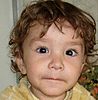
 تبدیل یک تصویر رنگی به معادل GrayScal آن
https://barnamenevis.org/showpo...9&postcount=96
Imports System.Drawing.Imaging


 Public Shared Function MakeGrayscale(ByVal original As Bitmap) As Bitmap


        '    //create a blank bitmap the same size as original

        Dim newBitmap As Bitmap = New Bitmap(original.Width, original.Height)


        '//get a graphics object from the new image

        Dim g As Graphics = Graphics.FromImage(newBitmap)


        '//create the grayscale ColorMatrix

        Dim array()() As Single = New Single()() {New Single() {0.3F, 0.3F, 0.3F, 0, 0}, _

                                                  New Single() {0.59F, 0.59F, 0.59F, 0, 0}, _

                                                  New Single() {0.11F, 0.11F, 0.11F, 0, 0}, _

                                                  New Single() {0, 0, 0, 1, 0}, _

                                                  New Single() {0, 0, 0, 0, 1}}

        Dim colorMatrix As ColorMatrix = New ColorMatrix(array)


        '//create some image attributes

        Dim attributes As ImageAttributes = New ImageAttributes()


        '//set the color matrix attribute

        attributes.SetColorMatrix(colorMatrix)


        '//draw the original image on the new image

        '//using the grayscale color matrix

        g.DrawImage(original, New Rectangle(0, 0, original.Width, _

                                           original.Height), 0, 0, original.Width, _

                                           original.Height, GraphicsUnit.Pixel, attributes)


        '//dispose the Graphics object

        g.Dispose()

        Return newBitmap

    End Function


 Private Sub button1_Click(ByVal sender As Object, ByVal e As EventArgs) Handles Button1.Click

        Dim b As Bitmap = PictureBox1.Image
PictureBox2.Image = MakeGrayscale(b)
End Sub

